

The Best Iframe Element
A free assortment of iframe-embedded widgets designed to deliver powerful functionality, increase user interaction, and help achieve essential commercial goals. Enjoy quick setup, flexible customization, and expert client support..
Welcome to the Pops Widgets iframe Embed Library
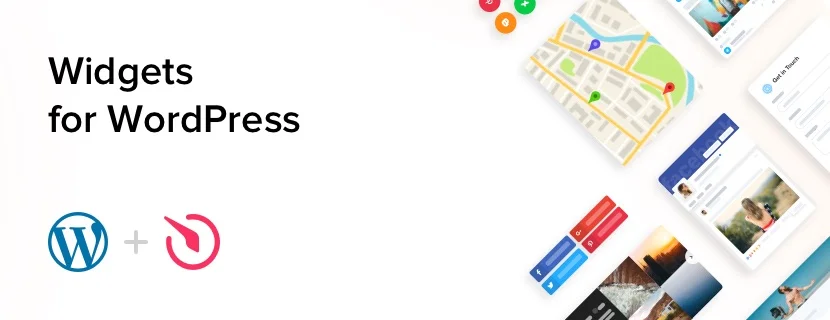
At Pops Widgets, we provide ready-made website widgets that are embedded using iframe. An iframe allows you to display external content inside a webpage without changing your website’s core code. With iframe-based embeds, Pops Widgets makes it easy to add interactive features, improve user engagement, and extend website functionality across any HTML-compatible website.
Why use iframe in your Website?
Iframe is a simple and widely supported HTML element used to embed external content into a webpage. It offers a reliable way to add advanced functionality while keeping your website stable and easy to maintain.
- Easy to implement
Widgets embedded using iframe can be added by copying and pasting a single embed code, making setup quick and beginner-friendly. - Isolated content loading
Iframe loads content separately from your website, helping prevent conflicts with existing HTML, CSS, or JavaScript. - Works on any website
Iframe can be used on any website that supports HTML, including CMS platforms, website builders, and custom-coded sites. - Wide range of solutions
From social media feeds and forms to chat widgets and marketing tools, iframe-based widgets support a wide variety of business needs.
In short, iframe provides a universal and efficient way to embed powerful widgets without affecting your website’s structure.
Why choose Pops Widgets?
Pops Widgets offers a diverse collection of widgets designed to be embedded using iframe, helping you enhance your website quickly and efficiently.
| Advantage | How It Helps You |
|---|---|
| 24/7 customer support | Get help whenever you need it Pops Widgets support team is always available to assist with setup, troubleshooting, or guidance. |
| No-code integration | Access free and premium widgets that can be embedded using iframe. |
| Quick & easy integration | All Pops widgets are completely no-code and can be added to your website in minutes—no technical skills required. |
| Flexible pricing options | Whether you’re an individual creator or a growing business, Pops Widgets offers plans that fit your goals and budget. |
| Regular enhancements | Pops Widgets are continuously updated to stay compatible with the latest WordPress versions and web standards. |
| Business-ready features | From lead generation to customer engagement, Pops Widgets supports real business goals. |
With Pops Widgets, you can upgrade your website using widgets that are beautifully crafted and optimized for performance and user experience.
Choose widgets designed for your business goals and industry
Every website has a goal—selling products, collecting leads, building trust, or providing support. Pops Widgets iframe widgets help you achieve these goals without platform restrictions. Instead of building features from scratch, you can embed ready-made widgets that work instantly across all website technologies.
Examples of how our widgets help:
- Ecommerce widgets
Promote offers and increase conversions using countdown timers, promotional banners, and sales alerts embedded via iframe. - Chat widgets
Enable real-time communication through WhatsApp, Facebook Messenger, Telegram, and more using iframe-based embeds. - Review widgets
Display customer reviews from platforms like Google, Amazon, Etsy, and Yelp to build credibility. - Form widgets
Collect contact requests, feedback, and orders using iframe-based forms.
These widgets help you create an engaging website experience while keeping implementation simple and efficient.
How to add widgets using iframe?

Embedding widgets using iframe is quick and works consistently across all platforms.
Add a widget to a specific page
Open the page editor or HTML file where the widget should appear.
Copy the iframe embed code provided by Pops Widgets.
Paste the code at the exact location where the widget should be displayed.
Save your changes and refresh the page.
Add a widget to all pages
Open your website’s main template or layout file.
Paste the iframe embed code into a global section such as the header or footer.
Save the file to apply the widget across all pages.
For more details, refer to our guide on embedding widgets using iframe.
Frequently Asked Questions
Is iframe safe to use?
Yes, iframe is safe when used correctly. Since iframe content loads independently from your website, it helps isolate embedded content and reduces the risk of conflicts with your existing HTML, CSS, or JavaScript. This separation improves stability and makes iframe a reliable option for embedding third-party widgets.
Can iframe widgets be used on any website?
Are iframe widgets mobile responsive?
Can I use multiple iframe widgets on one page?
Do iframe widgets affect website performance?
Iframe widgets generally have minimal impact on website performance. Since iframe content loads separately from the main page, it does not block your website’s core content from loading. This helps maintain speed and overall site stability, especially when embedding feature-rich widgets.
Will widgets update automatically?
Yes. Pops Widgets iframe-based widgets update automatically. Any improvements, bug fixes, or feature updates are applied within the iframe itself, so you don’t need to change or reinsert the embed code on your website.
Can iframe be removed later if needed?
Yes. Iframe widgets can be removed at any time by deleting the embed code from your page. This makes iframe a flexible solution that allows easy changes without affecting your website’s core structure.
Get Your First Widget Now
Under 1 minute, get live on your website — no coding, no risk, try now.